If you find a post you like on Instagram that you think your followers might like, you may want to give it a boost by sharing it to your Story. Here’s how to do so.
Social media apps are known for trial and error. FromTwitter’s‘Fleet’ toInstagram’sactivity log, it’s impossible to predict which features will flop and which will be a fan favorite.
However, the app has since changed to allow for a much easier system when it comes to sharing your posts to your Instagram story. Here’s how to do it.
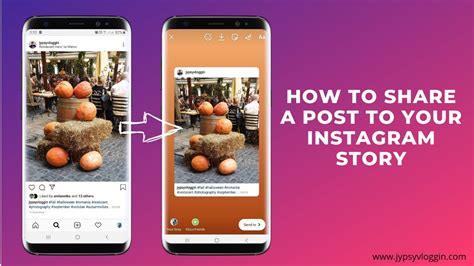
How to share a post to your Instagram story
Now that Instagram has reverted to the easier process, sharing a post to your story shouldn’t be too difficult.
To re-share a post on Instagram, you need to:
You’ll be able to share your own posts, as well as other users’ uploads as long as they have the feature turned on.
If you want to allow other people to share your posts, you’ll need to make sure it is allowed in your settings.
Sharing posts to your story can be a great way to boost your own uploads, as well as other people’s.
If you want to learn more about how to use Instagram, you can check out our other guides here:
How to switch Instagram feed to chronological order|How to re-share a post to your Story on Instagram|How to hide likes on Instagram|How to make a reel on Instagram|Does Instagram notify when you screenshot a story?
Georgina Smith was an Entertainment Writer on Dexerto’s UK team, specializing in viral, TikTok, YouTube and Twitch content. She also covered reality TV shows from Below Deck to Love Island.
